
Deliverability · 2026-08-25 · Updated 2026-09-03 · 8 min read · By Arden Talbot, founder of SheetLink
Reply-To vs From in contact forms
Putting the visitor in the From header is the most widespread bug in contact form history. One header along, and the same convenience stops being a forgery.
The most copied line in form code
For contact form email, set From to an address on your own domain and put the visitor's address in Reply-To. That keeps one-click replies without claiming to send mail from a domain you do not control.
Search any forum for contact form code and you will find the same instruction repeated for twenty years: set the From header to the address the visitor typed, so you can hit reply and it goes back to them.
It is genuinely convenient. It is also the reason a large number of contact forms stopped being delivered somewhere between 2016 and today, and the reason a lot of them still land in spam. The convenience is worth keeping. The header it is written into is wrong.
What From actually claims
From is not a label describing who wrote the words. It is an assertion about the origin of the message, and modern receivers treat it as one. When your server sends a message whose From header says a stranger's domain, you are asserting authority over a domain you do not have.
That is indistinguishable, from the receiver's side, from a phishing attempt. The whole apparatus of SPF, DKIM and DMARC exists to catch exactly this pattern, and it cannot tell your good intentions apart from somebody impersonating a bank.
What Reply-To was invented for
The header format has always had a separate field for this. Reply-To says where responses should go, and it is unrelated to who sent the message. It is defined alongside From in the internet message format specification, RFC 5322.
Every mainstream mail client honours it. When you press reply, the client uses Reply-To if present and falls back to From if not. So moving the visitor's address one header along costs you nothing in daily use and removes the forgery entirely.
The reason this works is that the two headers were designed for different questions from the beginning. From answers who is responsible for this message. Reply-To answers where a response belongs. A newsletter sent by a platform on behalf of a magazine, a ticket update sent by a help desk, a receipt sent by a payment processor - all of them separate the sender from the reply destination, and all of them do it with this header. A contact form is the same shape of problem and has the same solution already sitting in the specification.
The corrected shape
The rule fits in three lines. From is an address at your own domain, one that your infrastructure is authorised to send as. Reply-To is the visitor. The subject and body carry the rest.
A practical refinement is to make the From address specific rather than generic, something like forms at your domain, so filtering, sorting and troubleshooting can key on it. Some teams go further and put the visitor's name in the display portion while keeping the address at their own domain, which makes the inbox list readable without claiming anything false.
Two smaller details are worth setting at the same time. Put something stable and searchable in the subject, such as the form name, because six months from now you will want to find every submission from one particular form and the body text will not help you. And keep the envelope return path on your own domain too, so that when a message does bounce the report comes back somewhere you can read it rather than to the visitor who never sent it in the first place.
Why the old advice worked for so long
It is worth being fair to the pattern, because it was not always wrong. In an era when almost nobody published sender policies and receivers were far more permissive, spoofing your own visitor was harmless in practice.
What changed was enforcement. As domains began publishing policies asking receivers to reject unauthenticated mail claiming their name, every form still using the old pattern started failing for a growing fraction of visitors. The failure arrives gradually and unevenly, which is precisely why it is so rarely diagnosed: it depends on which domain the visitor typed.
This is also why the advice persists. The code sample still looks correct, it still runs without error, and for a good number of visitors it still works. Nothing about it announces that it has become wrong. The tutorials that taught it were accurate when they were written and were never revisited, and the pattern gets copied forward into new projects by people who have no reason to suspect a header of being the problem.
The symptom that identifies this bug
The signature is selective failure. Notifications arrive when the visitor used one provider and vanish when they used another. Messages from large consumer providers go missing while ones from small business domains arrive, or the reverse.
If you have ever thought that your form works except for people at certain companies, this is almost certainly what you were seeing. The variable is not your form, it is the strictness of the policy published by whatever domain the visitor entered.
Changing it without losing the workflow
- Find where the handler builds headers. In most form plugins this is a settings field rather than code.
- Set From to a fixed address on your own domain.
- Set Reply-To to the visitor's address field.
- Keep the visitor's address in the body too, so it survives if a client ignores the header.
- Send a test from an address at a strict domain and confirm arrival.
The fourth step matters more than it looks. Headers get rewritten by intermediaries; the body does not.
What it does not fix
Correcting the header removes one specific cause of rejection. It does not give you a sending reputation, it does not stop a filter from disliking a message full of links, and it does not tell you when delivery fails.
The chain described in why notifications go missing still has five other links. This is the one you can fix in five minutes with no DNS access, which is why it is worth doing first.
The version of this problem that never occurs
There is a category of form pipeline where this question does not arise, because no email is generated in order to record the submission.
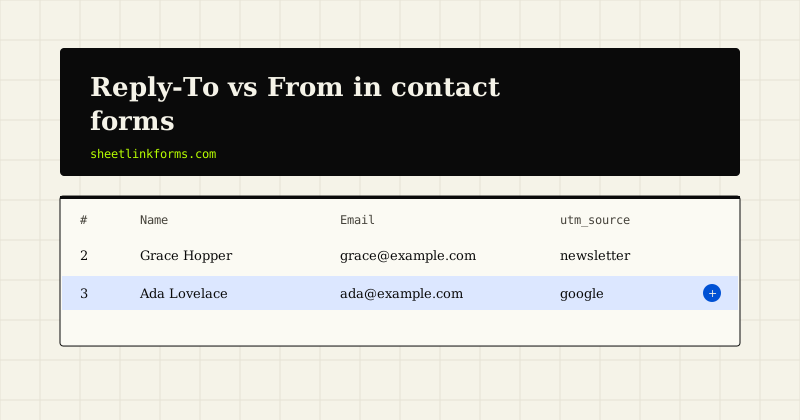
When the form endpoint writes a row to a spreadsheet, the visitor's address lands in a column beside their message and their campaign parameters. Replying is a click on a mail link in the sheet, which composes a normal message from your own account with no header trickery anywhere. The delivery path has no From header to get wrong.
Notifications can still be layered on top for immediacy. They are just no longer the thing that has to survive for the lead to exist.
One line to take away
From is who sent it. Reply-To is where answers should go. A contact form is sent by you, about a visitor, and the moment those two facts occupy the correct headers, an entire class of silent delivery failure disappears.
If you only change one thing in your form configuration this year, change that. It takes five minutes, needs no DNS access, no new service and no deployment on most sites, and it removes an entire category of delivery failure that you would otherwise spend a long time misattributing to spam filters.
Sources
The header semantics and the authentication mechanisms named above are defined in these specifications, all accessed 2026-09-03:
- RFC 5322, section 3.6.2 - the Internet Message Format: From identifies the author of the message; Reply-To indicates the address to which replies should be sent.
- RFC 7208 - Sender Policy Framework (SPF), which lets a domain declare which hosts may send mail on its behalf.
- RFC 6376 - DomainKeys Identified Mail (DKIM) signatures.
- RFC 7489 - DMARC, which ties SPF and DKIM results to the domain in the From header and lets that domain ask receivers to reject unaligned mail. This alignment check is what turns "visitor in the From header" into a rejected message.
The spreadsheet-first pipeline described in the last section is how SheetLink Forms records a submission without generating an email at all; see also why silent spam filtering loses customers for the other silent-failure class.
FAQ
Will my team notice any difference?
Only in the sender column of the inbox, which will now show your own address rather than the visitor's. Pressing reply behaves identically because clients honour Reply-To. Using the visitor name in the display portion keeps the list readable if that matters.
Is it ever acceptable to send as another domain?
When that domain has explicitly authorised you, which is how legitimate services that send on a customer behalf work. A contact form has no such authorisation for a stranger who typed an address, so no.
Does this apply to autoresponders as well?
Yes, in reverse. The autoresponder goes to the visitor and should be From your domain, with Reply-To pointing at a mailbox you monitor. Sending an autoresponder that appears to come from the visitor themselves is a common and confusing misconfiguration.
My plugin has no Reply-To field. What now?
Most have one under an advanced or headers section. If it genuinely does not, the address still belongs in the body, and it is worth treating a plugin that cannot set standard headers as a candidate for replacement.
Could this be why some notifications arrive and others do not?
It is the leading explanation for selective failure. Delivery then depends on the policy published by whichever domain the visitor typed, which varies from visitor to visitor and looks random from the inside.
Do I still need SPF, DKIM and DMARC after fixing this?
Yes. Fixing the header stops you failing alignment for other people's domains. Authenticating your own domain is what makes your messages trusted in the first place.
What about the envelope sender?
It should be an address at your domain that can receive bounces. It is separate from both From and Reply-To, and pointing it at a monitored mailbox is what turns silent failures into visible ones.
How do I confirm the change actually took effect?
Submit the form yourself and open the resulting notification with Show original or the equivalent raw view. Read the header block directly rather than trusting the settings screen: you want to see your own domain on the From line and the visitor address on the Reply-To line. Plenty of plugins offer a Reply-To field that a theme or another plugin then overwrites further down the hook chain, and the raw headers are the only place that shows up.
Skip the header argument entirely
SheetLink writes the submitter address into a column, so replying is a click in your sheet and nothing has to impersonate anyone.
Start freeSee the live demoSPF, DKIM and DMARC for form sendersBulk sender rules and the small sender