
Deliverability · 2026-08-23 · 8 min read · By Arden Talbot, founder of SheetLink
Why form notification emails go missing
The form said thank you. The email never arrived. Six things had to go right for that notification to reach you, and three of them are owned by somebody else.
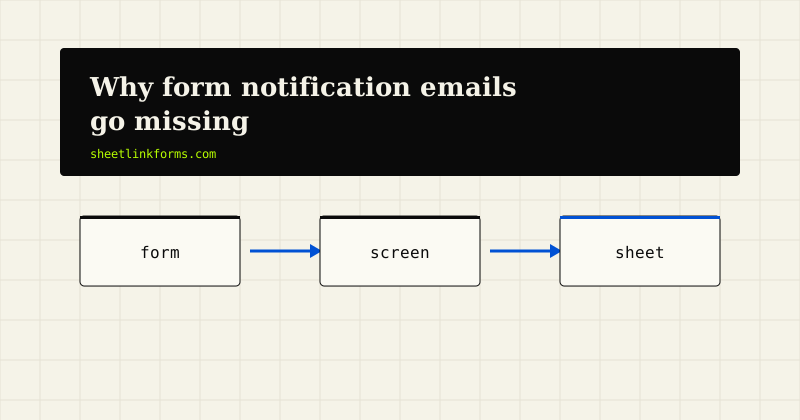
The failure that looks like success
A visitor fills in your contact form. The page thanks them. They close the tab believing they have reached you. Your inbox has nothing in it, and nobody is told.
From the browser side everything worked. The POST returned a 200, the thank-you page rendered, and the visitor got exactly the feedback a working form gives. The email is a separate journey that starts after that response, involves parties you do not control, and can fail completely without producing a single visible symptom.
Most businesses find out the worst way. A customer calls to ask why nobody replied to the message they sent three weeks ago. By then the lead is cold, the trail is gone, and you have no way to know how many others did the same thing without calling.
One notification, six things that have to work
It is worth writing out the chain, because people tend to think of it as one step.
- Your form handler decides to send an email at all.
- A mail transport accepts it - your host's sendmail, an SMTP relay, or an API.
- Sender authentication passes at the receiving end.
- The receiving filter accepts the message rather than rejecting it.
- The message is placed in the inbox rather than the spam folder.
- You actually see it among everything else that arrived.
Steps one and two are yours. Steps three through five belong to the receiving mail provider and are decided by rules you cannot see. Step six is human. A chain with six links and three owners is not a reliable system of record, and treating it as one is the underlying mistake.
Link one: whatever your host calls sendmail
A large share of contact forms still hand their message to a local mail binary and consider the job done. On shared hosting that binary usually sends from an IP address shared with hundreds of unrelated sites, with no dedicated sending identity and no bounce handling.
The function returns true when the message is queued, not when it is delivered. That return value is the only signal most form code ever checks. It is a receipt for handing the letter to a courier, not for the letter arriving.
This is also the layer that quietly disappears during a migration. A site moves to a new host, the new host has mail disabled by default or requires authenticated relay, and every notification stops. The forms keep returning 200.
Link two: the From address you picked
The second common break is self-inflicted. Many form handlers set the From header to the address the visitor typed, so replying in your mail client goes straight back to them.
It is a convenient trick and it fails modern authentication. You are now sending mail claiming to be from a domain you do not control, from infrastructure that domain has never authorised. Receivers built the last decade of anti-spoofing policy specifically to stop that, and they cannot tell your convenience apart from a genuine forgery.
The fix is to send from your own domain and put the visitor in the Reply-To header instead, which is what that header exists for.
Link three: reputation you have not built
Filtering is reputation-driven. A domain and IP that send a steady, wanted stream of mail accumulate a history that gets them through. A site that sends four contact-form notifications a week has almost no history at all.
Low volume is not itself a penalty, but it means every other signal carries more weight. An unauthenticated message from an unknown sender containing a block of text a stranger typed, sometimes with links in it, looks a great deal like the thing filters are built to catch.
This is why the same notification setup can work for a year and then stop. Nothing on your side changed. The receiving filter revised its thresholds, and you had no margin.
Why the failure is completely silent
Silence has three separate causes, and they compound.
A receiving server can accept a message with a 250 and then file it in spam or discard it. Acceptance is not delivery. Second, when a message really does bounce, the report goes to the envelope return path, which on a default host install is often a local account nobody has ever opened. Third, most form code sends and forgets: the result is not stored, so even a hard failure leaves no trace in your application.
Put together, you get a system that can fail one hundred percent of the time and look identical to one that works.
The ten-minute diagnostic
You can settle the question this afternoon. Send a test submission to a Gmail address you control, open the message, and use Show original.
That view reports SPF, DKIM and DMARC results explicitly. Three PASS lines mean your authentication is in order and any problem is content or reputation. Any FAIL or missing line tells you exactly which record to fix. Google documents the sender requirements it enforces in its email sender guidelines, which is the reference worth reading before changing DNS.
If the message never arrives at all, check the spam folder first, then your host's mail log. A message that was never queued is a different bug from one that was queued and rejected.
The part nobody instruments
Ask a team how many form notifications their site sent last month and how many were delivered. Almost nobody can answer. There is no delivery log for notification mail on a typical site, no retry, and no alert on failure.
Compare that to any other integration you depend on. You would not accept a payment gateway that told you nothing about failed charges. The notification email is doing the same job for your pipeline, with none of the instrumentation.
Make the record something that cannot vanish
The durable fix is not to make email perfect. It is to stop making email the record.
When a submission is written to a spreadsheet as a row, the row is the system of record and the notification becomes a convenience. If the email is filtered, the lead is still there, timestamped, with its attribution attached. You can see at a glance that eleven submissions arrived last week even if only nine emails reached you.
That is the model behind sending form submissions straight to Google Sheets or an Excel Online table. The delivery pipeline retries on failure and logs every attempt, so a bad afternoon at a mail provider costs you a notification, not a customer.
What to do this week
- Send one test submission to a Gmail address and read Show original. Note which of SPF, DKIM and DMARC pass.
- Stop sending From the visitor. Send from your own domain, put them in Reply-To.
- Point the envelope return path at a mailbox a human reads, so bounces stop disappearing.
- Give yourself a second record that does not depend on mail delivery at all.
- Once a month, compare the number of rows against the number of notifications you remember seeing.
The last one is the check that catches the silent failure, because it is the only step that compares two independent records rather than trusting one.
FAQ
How common is this, really?
Common enough that it is worth assuming it is happening until you have checked. The failure produces no error on the site, no bounce you will see, and no gap you would notice without a second record to compare against. Any site whose notifications were configured once and never re-tested after a host migration or a DNS change is a candidate.
Does using a transactional email provider fix it?
It fixes the first two links properly and gives you delivery reporting, which is a large improvement. It does not make the receiving filter accept every message, and it does not help if you still send From the visitor's address. Use one, and still keep a record that does not depend on it.
Why does the form return a success page if the email failed?
Because the two events are not connected. Most handlers render the confirmation as soon as the submission is stored or queued. Even a handler that waited for the mail transport could only report that the message was accepted for delivery, which is not the same as delivered.
Should the visitor get a confirmation email too?
If you send one, it inherits exactly the same fragility. An autoresponder that lands in spam is worse than none, because the visitor concludes you ignore people. Send it from an authenticated domain, keep it short and plain, and never treat its absence as proof the submission failed.
What is the envelope return path?
It is the address bounces go back to, set separately from the visible From header. On default host installs it is often a local system account that nobody monitors, which is why failed deliveries generate no visible signal. Pointing it at a real mailbox is a one-line change with a large payoff.
Can spam filtering on my own mailbox be the problem?
Frequently. Check the spam and junk folders on the receiving side before touching DNS. If messages are arriving but being filed, the fix is a rule or an allowlist entry on your own account, not a change to how the site sends.
Does this affect forms behind a page builder or plugin?
The same way. The builder still hands the message to a mail transport and still reports success on queueing. Some builders add a log of send attempts, which helps, but the log records what the site tried to send rather than what the recipient received.
What is the single highest-value change?
Stop treating the inbox as the database. Once every submission is a row you can count, a missing notification becomes an annoyance you can detect rather than a lost customer you never hear about.
A record that does not depend on email
Every SheetLink submission is written to your spreadsheet and logged, whether or not any notification email survives the trip. Free to start.
Start freeSee the live demoThe quarantine queue: a product argumentSPF, DKIM and DMARC for form senders