
Lead follow-up · 2026-09-20 · 8 min read · By Arden Talbot, founder of SheetLink
The follow-up log: a spreadsheet pattern
Four columns beside your submissions turn a list of enquiries into a working pipeline. It is not a CRM, and for most businesses it does not need to be.
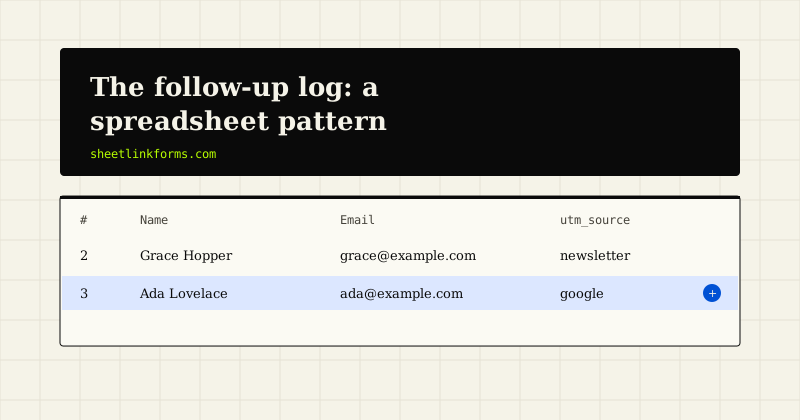
The gap between a list and a pipeline
A sheet of submissions is a list of things that happened. A pipeline is a list of things that need doing. The difference is a handful of columns, and most businesses never add them.
The symptom is a shared understanding that everything is under control, maintained entirely in people's heads, which works until somebody is away or two people are involved.
What follows is deliberately minimal. It is not an attempt to reproduce a CRM in a spreadsheet, which is a project that always disappoints. It is the smallest set of columns that makes follow-up visible.
Four columns, three views, one weekly habit.
Column one: owner
Who is dealing with this. One name, filled in as soon as the enquiry is seen.
It is the most important column because an unowned enquiry is the one that waits. Three people seeing a notification and each assuming another has it is the most common cause of a slow reply, and a name in a cell removes the ambiguity entirely.
Even in a business of one, fill it in. The habit is what survives the arrival of the second person, and retrofitting it later means going back through history.
Where routing is automatic, this column is the visible output of the routing, which is what makes a misrouted enquiry noticeable.
Column two: status
A small, fixed vocabulary. New, replied, waiting, won, lost. Five values, no more.
The temptation is to build a richer set that mirrors your sales process, and it is worth resisting until the simple version has proved insufficient. Every additional status is a decision somebody has to make on every row, and statuses nobody can distinguish get filled in inconsistently, which makes the column useless.
The two that matter most are new and waiting, because they are the ones that generate action. New means nobody has replied. Waiting means the ball is with the customer.
Use data validation so the values stay consistent. A status column containing replied, Replied and repled cannot be filtered, and that happens within about three weeks without validation.
Column three: next action date
When something should happen next. This is the column that converts a passive record into something that prompts you.
It is more useful than a last contacted date, because last contacted requires a person to do arithmetic to work out whether anything is overdue. A next action date can simply be compared against today.
Fill it in every time you touch a row. Replied and waiting for an answer becomes next action in four days. Sent a quote becomes next action in a week. Nothing is ever left with an empty next action unless it is closed.
That single discipline is the difference between a pipeline and an archive.
Column four: notes
One cell, appended to rather than replaced, with dated entries. Called, no answer. Sent quote. Asked for a revised spec.
It does not need structure. It needs to exist, so that whoever picks the enquiry up next can see what has happened without asking.
Keep it factual. This column is disclosable to the person it describes if they ever make a data request, which is a good discipline for keeping notes operational rather than editorial. It is also worth remembering when writing anything you would not want read back to you.
Where a note is genuinely sensitive, it does not belong in a shared sheet at all.
The three views
With those four columns, three filtered views cover almost all daily use.
Everything with status new, which is the queue that matters most and should ideally be empty by the end of each day. Everything where the next action date is today or earlier, which is the working list. And everything owned by me, which is what each person actually opens.
Build them as saved filter views rather than as separate sheets. Copies diverge, and a duplicated sheet of leads is also a duplicated set of personal data with its own access and retention problem.
Three views, no automation, no integrations.
The weekly habit
Once a week, ten minutes. Look at anything still marked new that is more than a day old. Look at anything with a next action date in the past. Look at anything with no owner.
Those three checks catch essentially every way an enquiry goes quiet without a decision, which is the failure this whole pattern exists to prevent.
It is also the moment to close things honestly. An enquiry that has had three attempts and no response is lost, and marking it so is more useful than leaving it open as a permanent reproach.
A pipeline that is never pruned stops being read, and once it stops being read the columns stop being filled in.
What this gives you for free
Because the columns sit beside the submission, several useful numbers become available without any extra work.
Response time is the gap between the submission timestamp and the first status change, which answers the speed to lead question directly. Conversion is the proportion of enquiries that reach won. Source quality is that proportion split by campaign.
That last one is the one that changes spending decisions, and almost no small business has it, because the enquiry data and the outcome data usually live in different places.
Here they are in the same row, which is the entire reason this pattern is worth the discipline.
Where it stops working
Be honest about the limits, because ignoring them is how a spreadsheet becomes a liability.
It stops working when several people need to edit simultaneously and reliably, when you need a history of many interactions per contact rather than a single notes cell, when the same person appears repeatedly and needs to be a record in their own right, or when you need reporting nobody can produce with a filter.
Those are real thresholds and they arrive for growing businesses. When they do, the graduation is warranted and the discipline you built here transfers directly, because you already know what you track and why.
What is not a threshold is feeling that a spreadsheet is unprofessional. Plenty of businesses run a considerable amount of revenue through exactly this pattern.
Setting it up
Add four columns to the right of whatever your form writes. Add data validation to status. Save three filter views. Put a recurring ten-minute entry in the calendar for the weekly check.
Do not add more columns for a month. The temptation to elaborate is strong and almost always produces columns nobody fills in, which is worse than not having them because it makes the sheet look maintained when it is not.
If after a month the four are being used and something is genuinely missing, add one.
The most common genuine addition is a value or size column, because it lets the working list be ordered by something other than age. That is worth having once enquiries outnumber the time available to answer them all immediately, and not before.
The point
Most lost enquiries are not lost to competitors. They are lost to nobody deciding anything, which is a process failure rather than a sales one.
Four columns and a weekly glance fixes most of that, at no cost, in the place the enquiries already are.
The reason it works is that it puts the prompt where the work is. A follow-up system that lives somewhere separate from the enquiries requires somebody to remember to open it, and that is precisely the thing nobody does during a busy week.
FAQ
Why not just use a CRM?
You may eventually need one, and this pattern makes that decision easier because you will know exactly what you track. Buying one first usually results in an unused system, since a team that has not built the follow-up habit does not acquire it by changing tools.
How many status values should I use?
Five at most, with data validation to keep them consistent. Richer sets look thorough and get filled in inconsistently, at which point the column cannot be filtered and stops being worth maintaining.
Why a next action date rather than a last contacted date?
Because it can be compared against today without anyone doing arithmetic. A next action date turns the sheet into something that prompts you, which a last contacted date never does.
Should notes be structured?
No. Dated lines appended to one cell is enough. Keep them factual, since the column is disclosable to the person it describes if they make a data request.
What if two people edit at once?
Cloud spreadsheets handle concurrent editing reasonably well at this scale. Frequent conflicts are one of the genuine signals that you have outgrown the pattern rather than a problem to work around.
How do I measure response time with this?
Subtract the submission timestamp from the first status change. Because both live in the same row, the calculation is a formula rather than a reconciliation between two systems.
Should I add more columns over time?
Sparingly, and only after the existing ones have proved insufficient. Columns nobody fills in are worse than absent ones, because they make the sheet appear maintained when it is not.
When should I mark something lost?
After a stated number of attempts with no response, decided in advance so it is not a judgement each time. Leaving dead enquiries open makes the working list untrustworthy, and an untrusted list stops being used.
Enquiries arrive ready to work
Submissions land as rows in a sheet you own, leaving room beside them for the columns your process actually needs.
Start freeSee the live demoForm abandonment: what you can measureWhat to do with leads that go quiet