
Spreadsheet ops · 2026-08-06 · 8 min read · By Arden Talbot, founder of SheetLink
When to graduate from a spreadsheet
Five signals that the sheet is done, what to move first when you go, and why the form-capture layer should outlive the spreadsheet it feeds.
A symptom question, not a headcount question
Ask when to move off a spreadsheet and you will get answers shaped like thresholds: at ten employees, at a thousand rows, at some revenue number. These are all wrong in both directions. We have seen two people outgrow a sheet in a month and eight people run one happily for years, because the sheet's limits are not about size. They are about the shape of the work.
So this is a symptom checklist, not a milestone chart. Five signals, ordered roughly by how early they tend to appear. One signal is an irritation. Two is a trend. Three is your answer. And at the end, the part most migration advice skips: what to move, what to keep, and why the layer that captures your data should not be part of the funeral.
Signal one: concurrency pain
The earliest signal is friction between simultaneous editors. Someone sorts while someone else is typing and a value lands on the wrong row. Two people grab the same new lead because nothing marks a row as claimed. A paste overwrites an edit and nobody notices for a week - version history can prove what happened, but reconstruction is not a workflow.
The tell is behavioral: people start announcing their edits ("staying out of the sheet until 3") or keeping private side copies. Both are your team building crude locking and replication by hand. Filter views and protected ranges genuinely delay this signal - we recommend them - but they are treatments, not cures. When coordination chatter about the sheet becomes routine, the signal has fired.
Signal two: permission boundaries
The second signal arrives with a sentence like "the contractor needs the sheet, but not the revenue column." Spreadsheet sharing is per-file and mostly binary: view or edit, everything or nothing. There is no per-row ownership, no field-level visibility, no roles. Protected ranges stop edits, not eyes.
The workaround everyone builds is the shadow copy - a second sheet, filtered and sanitized, synced by formula or by hand. Every shadow copy is a standing sync bug and a standing leak risk, and the day one contains something it should not, you will wish you had moved sooner. One nuance: if the boundary only concerns intake, you may not need to graduate - a form endpoint writes rows without granting anyone access to the file itself, as our agency use case shows. Permission pain in the working layer is what this signal is about.
Signal three: process complexity
The third signal is the sheet straining to represent process rather than state. Multi-stage pipelines where stage transitions have rules. Follow-ups that must happen on a schedule. Handoffs between people with notifications. The grid can store all of this and enforce none of it, so enforcement migrates into scripts, reminder hacks, and one person's memory.
Count your hacks honestly. A status dropdown and a conditional format are healthy spreadsheet ops. An Apps Script that emails people, retries on failure, and only its author can debug is a workflow engine with no tests and a bus factor of one. When the number of automations exceeds the number of people who understand them, the sheet has already stopped being a sheet - you are running unowned software and calling it a spreadsheet.
Signal four: relational strain
The fourth signal is structural: your data stops being flat. One row per lead works until leads have many touchpoints, orders have many items, or companies have many contacts. The sheet answer is repeated rows, comma-stuffed cells, or a web of VLOOKUP and IMPORTRANGE stitching tabs into a hand-rolled relational database - fragile joins, no integrity checks, silent breakage when a key changes.
The tell here is duplication anxiety: the same fact living in three tabs, and nobody sure which is authoritative. Databases solved this decades ago with foreign keys and constraints. When you find yourself explaining to a teammate which tab is "the real one," the data model has outgrown the grid, regardless of how few rows you have.
Signal five: audit and accountability
The fifth signal usually arrives last, often from outside: someone needs to know, reliably, who changed what and when - a compliance requirement, a customer dispute, a mistake worth a post-mortem. Sheet edit history technically exists, but it is a browsing interface, not an audit log: painful to search, blind to "viewed," and rewritable in effect by copy-paste-forward.
Related: the sheet has no concept of an immutable record. Anyone with edit rights can alter history, invisibly if history is long. For intake specifically, a delivery log upstream of the sheet restores ground truth - what was actually submitted, when, delivered where - which is one more reason capture should not live inside the working file. But if the audit requirement covers working changes too, only real software satisfies it.
Move the workflow first, not the data
When the signals say go, the instinct is to migrate everything - export all tabs, import all history, launch clean. Resist it. History-first migrations are where these projects die: weeks spent massaging old rows into a new schema, enthusiasm exhausted before anyone benefits.
Move the workflow first. Identify the active records - leads in flight, orders open, tickets unresolved - and move only those, usually a tenth of the sheet. The new tool starts paying for itself in days. Closed history stays in the spreadsheet, which remains a perfectly good archive: searchable, exportable, and free. Import history later if a real need appears. Usually it never does, and the two years of closed rows retire in place with full honors.
Keep the capture layer
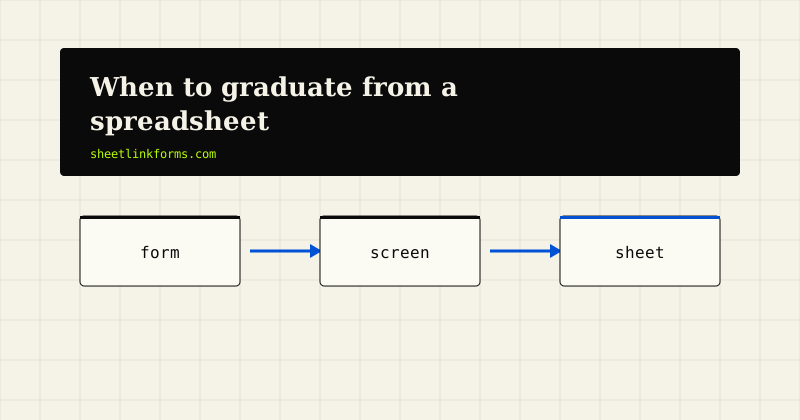
Most migration stories get this part wrong. The spreadsheet had two jobs: working surface and capture target. The working surface is what broke - concurrency, permissions, process. Capture never broke. Appending a row works the same at any scale. So graduate the working surface and keep the capture pipeline intact.
Concretely: if your forms post to a permanent endpoint, as described on how it works, nothing in your site's markup changes on migration day. The sheet becomes the append-only intake ledger; the new system imports or syncs from it. You keep a vendor-independent record of every lead ever received, spam filtering keeps working, and switching tools never touches production forms. That last property compounds - the endpoint outlives not just this sheet but the next tool, and the one after that.
The dual-run exit
Practical exit sequence: keep both systems live for two weeks. Rows continue landing in the sheet via your existing pipeline; the team works in the new tool; a daily import bridges the gap. The sheet is the safety net - if the new tool disappoints, you have lost nothing.
The finish line is behavioral, not calendrical: the migration is complete the day nobody has opened the sheet's working columns in a week. And one quiet consolation for having stayed "too long": you now know your process cold, because you have been staring at it in a grid for years. Teams that buy software first and discover their process second configure the tool wrong. You will not.
FAQ
Is there a row count where a spreadsheet stops working?
Not one that matters. The grids handle hundreds of thousands of rows; the limits that bite are concurrency, permissions, process, relations, and audit - all shape-of-work problems that can fire at fifty rows or never.
What is the earliest reliable signal to watch for?
Coordination chatter around editing: people announcing when they are in the sheet, or keeping private copies. That is your team hand-building locking and replication, and it usually appears before anything visibly breaks.
Can filter views and protected ranges postpone graduation?
Yes, meaningfully - personal filter views end most sort-and-filter collisions, and protected ranges stop accidental edits to captured data. They are worth doing. They delay the concurrency signal; they do not address permissions, process, or audit.
Should I import my full spreadsheet history into the new tool?
Almost never at migration time. Move active records only, keep the sheet as a searchable archive, and import history later if a concrete need appears. History-first migrations are the ones that stall and get abandoned.
Why keep the form endpoint after leaving the sheet?
Because capture never broke - the working surface did. A permanent endpoint means migration touches zero production forms, and the sheet lives on as an append-only intake ledger the new tool syncs from. See how it works.
What happens to spam filtering when I graduate?
Nothing, if filtering lives at the endpoint rather than in the sheet. Honeypots, rate limits, and quarantine keep protecting intake no matter what system sits downstream - another argument for capture as its own layer.
How long should the dual-run period last?
Two weeks is usually enough to surface the new tool's gaps while memories of the sheet workflow are fresh. End it on behavior, not the calendar: when nobody has touched the sheet's working columns in a week, you are done.
We only need to share intake with outsiders, not the whole sheet. Do we still need to graduate?
Probably not yet. A form endpoint lets clients or the public write rows without any access to the file, which resolves the most common early permission pain. See the quote request use case for that pattern.
Build capture that outlives the sheet
A permanent form endpoint today, and a migration that never touches your forms tomorrow.
Start freeSee the live demoHTML form textarea: a complete guidePublic sheets as transparency pages