
Attribution · 2026-07-28 · 9 min read · By Arden Talbot, founder of SheetLink
The anatomy of a landing page form that closes the loop
A form on an ad landing page is not a contact widget - it is the measurement instrument for the whole campaign. Here is what it has to do, piece by piece, to make the spend accountable.
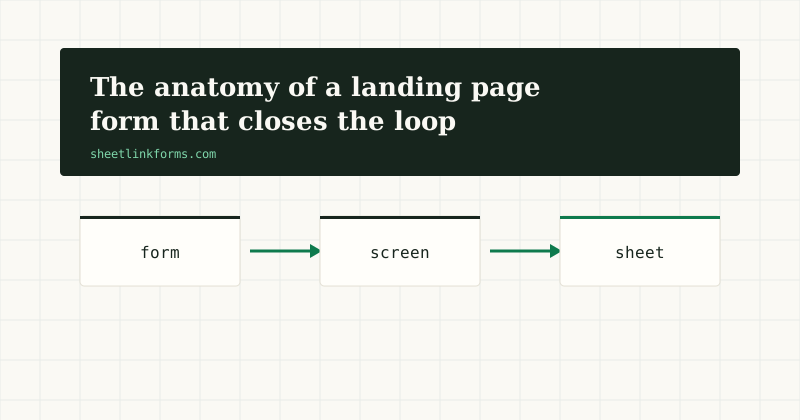
The form is the measurement instrument
Most landing page advice treats the form as a conversion obstacle: fewer fields, bigger button, less friction. Fine as far as it goes. But on a paid landing page the form has a second job that gets almost no attention: it is the instrument that records what the money bought. Every dollar of ad spend resolves, eventually, into rows that this form did or did not capture correctly.
Viewed that way, "the form works" is a much higher bar than "submissions arrive." A form can deliver every submission and still lose the campaign's measurement - by dropping the click's identity, by discarding a borderline lead, by burying the data in an inbox where no one can qualify it. This post is the anatomy of a form that clears the higher bar, requirement by requirement.
Requirement one: capture the click's identity
An ad click arrives wearing its identity in the URL: your UTM parameters, plus the platform's click ID - gclid from Google, fbclid from Meta, msclkid from Microsoft, wbraid and gbraid on iOS traffic. The form must catch all of it at the moment of submission, or the row lands anonymous and the campaign report is fiction.
The click IDs deserve special respect: they are the only keys that support uploading outcomes back to the platforms later. UTM values tell you which campaign; click IDs let you tell the platform which click qualified. A form that captures one and not the other is half an instrument.
Requirement two: persistence, because journeys wander
The parameters live on the landing page URL, but people do not convert where they land. They open the pricing page, read how it works, come back tomorrow. The moment they navigate, the URL - and everything it carried - is gone. Any capture that reads the current page's query string at submit time will find it empty for a large share of real journeys.
So the instrument needs memory: read the parameters on first touch, store them in the browser, and replay them whenever a form is finally submitted. The SheetLink Forms embed does this with localStorage, which survives navigation and return visits. The failure modes and the fix are laid out in our guide to multi-page form attribution - it is the single most common place landing page measurement quietly dies.
Requirement three: hidden context the visitor never types
Beyond attribution, a closing-the-loop form records context the visitor should never be asked for. Which landing page variant was this - the long one or the short one? Which offer headline? A hidden input answers silently: <input type="hidden" name="variant" value="long_page_b">, set per page or per test arm.
Hidden context costs nothing at conversion time and pays at analysis time, when "which variant produced qualified leads" is a pivot table instead of a guess. The discipline is the same one that governs field names generally: every piece of context gets its own named field, because named fields become named columns. Name them to match your sheet's headers and the mapping takes care of itself - matching is case and punctuation insensitive, so Variant and variant land in the same column.
Requirement four: spam handling that never deletes a paid lead
Landing page forms attract spam, and the standard responses - aggressive filters, hard CAPTCHAs - are miscalibrated for paid traffic. A hard CAPTCHA taxes every legitimate visitor you paid to acquire. An aggressive filter silently deletes borderline submissions, and a deleted false positive on paid traffic is the worst outcome in the whole system: you paid for the click, the lead existed, and no record survives.
The calibrated answer is quarantine: suspicious submissions are held for one-click review instead of vanishing - approve delivers the row, attribution intact. SheetLink Forms combines this with a layered front line - honeypot, rate limits, timing signal, content heuristics with a per-form strictness dial, optional Turnstile - so the queue stays short. The full argument is in quarantine vs CAPTCHA; the principle is simply that on paid traffic, a false positive should cost seconds, not money.
Requirement five: a destination you can work in
Submissions that land in an inbox are notifications; submissions that land in a spreadsheet are a dataset. The difference decides whether the loop can close. Qualification needs a status column someone can edit. Upload needs rows that can be filtered and exported. Attribution needs each parameter in its own labeled column, not interleaved in an email body.
This is the core of the case we make in our review of form backends: the destination should be the working system, not a relay to one. Rows appending under a header in Google Sheets or an Excel table are a working system - sortable, sharable, formula-capable, and already open on the laptop of whoever calls the leads.
Requirement six: the return path to the ad platform
The loop closes when outcomes flow back. Because every row carries its click ID, the sheet can drive offline conversion uploads: filter to rows marked qualified, send gclid plus conversion name, time, and value to Google Ads - or the fbclid-derived events to Meta's Conversions API - and the platforms start optimizing toward clicks that qualify, not clicks that submit.
Nothing about the return path is exotic; Google's spreadsheet-based scheduled imports can read the very sheet the leads land in. What makes it possible is everything upstream: identity captured, persisted, delivered into columns, and never deleted by a filter. Miss any requirement and the return path has nothing to carry.
The anatomy, assembled
Here is the whole instrument in markup - a static page form pointed at a SheetLink Forms endpoint, with the embed script doing capture, persistence, and AJAX submission:
<form action="https://sheetlinkforms.com/f/YOUR_TOKEN" method="POST" data-sheetlink>
  <input type="text" name="name" required>
  <input type="email" name="email" required>
  <textarea name="message"></textarea>

  <!-- hidden context: set per page or test arm -->
  <input type="hidden" name="variant" value="long_page_b">

  <!-- honeypot: humans never see it, bots fill it -->
  <input name="_slhp" tabindex="-1" autocomplete="off"
         style="position:absolute;left:-9999px">

  <button type="submit">Get the quote</button>
</form>
<script src="https://sheetlinkforms.com/sl.js" data-token="YOUR_TOKEN"></script>
The script captures and persists the UTM parameters and click IDs, attaches them at submit, adds a timing signal, and shows inline success text - no redirect required, though a custom redirect to a thank-you page is one setting away if your conversion tracking wants one.
The columns that complete the instrument
On the sheet side, the form's fields arrive as columns automatically. Add the human half of the loop yourself:
status- new, contacted, qualified, disqualified, won.value- expected or actual deal value, for value-based bidding.conversion_time- when the lead qualified.uploaded_at- stamped when the row goes back to the ad platform.
Four columns, and the spreadsheet becomes the campaign's entire middle office: intake ledger, qualification workbench, and upload source in one place. The ad landing page use case walks through this exact setup step by step.
What most form stacks get wrong
Measured against these requirements, common stacks fail in characteristic places. Email-forwarding backends stop at the inbox: requirement five unmet, and usually one and two as well, because parameters were never captured as fields. Builder-native forms often forward only the fields they were configured for, dropping hidden context silently. Aggressive spam filtering deletes paid leads with no appeal. And per-submission pricing adds a perverse incentive: the better your campaign performs, the more each lead costs to record.
None of these are exotic defects - they are defaults. Which is the point of writing the anatomy down: closing the loop is not hard, but it is specific, and a stack assembled without the checklist will usually miss two or three requirements invisibly.
Try the instrument before the campaign
The cheapest time to verify your measurement is before the spend starts. Submit your own form with hand-tagged parameters - ?utm_source=test&utm_campaign=dry_run&gclid=TEST123 - then navigate to another page, come back, submit, and check the row: did the parameters survive the journey into their columns? Ten minutes of rehearsal beats a month of untagged spend.
You can also inspect a working example first: the live demo is a real form feeding a public sheet. When you are ready to wire your own landing page, the docs cover the endpoint and embed in full, and SheetLink Forms is free to start - start free, no card required.
FAQ
Do I need a thank-you page redirect for conversion tracking?
Only if your tracking fires on a page view. Plain HTML posts get a 303 redirect to a thank-you page or your custom URL, so page-view-based pixels work; AJAX submits via the embed show inline success instead, and you would fire the event in JavaScript. See thank-you page for the trade-offs.
Does attribution capture work with multi-step forms?
Yes - persistence makes step count irrelevant. Parameters are stored at first touch and attached when the final submit happens, no matter how many steps or pages intervene. The mechanics are the same as any multi-page journey.
How do I track which A/B variant produced a lead?
A hidden input per variant: name it once (say, variant) and set the value per test arm. It arrives as a column, and qualified-leads-by-variant becomes a pivot table. Keep the field name constant across arms so everything lands in one column.
What happens if a visitor has JavaScript disabled?
The form still works - it is a normal HTML POST to the endpoint, and the 303 redirect handles the response. What you lose without the script is the automatic attribution capture and persistence, so those rows may arrive without source columns. For paid landing pages this population is typically very small.
Can the endpoint handle file uploads from a landing form?
Multipart posts are accepted, but file parts are currently dropped - fields arrive, attachments do not. For a paid lead-capture form we would argue against file inputs anyway: they add friction exactly where you are paying for completions. Payloads are capped at 256KB.
How fast do rows land in the sheet?
Delivery is asynchronous through a worker that writes directly to the Google Sheets API or Microsoft Graph - typically prompt, with automatic retries at 5 minutes, 30 minutes, and 2 hours if the destination is temporarily unavailable, and a delivery log showing every attempt.
Does the honeypot in the markup hurt accessibility or conversion?
No - it is moved off-screen, excluded from tab order with tabindex=-1, and marked autocomplete=off, so keyboard and screen-reader users never encounter it while autofill leaves it alone. Humans never see it; bots that fill everything reveal themselves. Details in honeypot.
What does this cost per submission?
Nothing per submission, ever - that is a standing commitment written into our terms. The free tier (open signup, no card) covers 100 submissions a month; Pro is $19/month or $190/year with unlimited submissions, unmetered. See pricing.
Build the form that pays for the campaign
One endpoint, one script tag, and every paid click lands in your sheet with its identity intact - free to start.
Start freeSee the live demofbclid and the economics of Facebook lead qualityThe anatomy of form spam in 2026