
Attribution · 2026-07-27 · 9 min read · By Arden Talbot, founder of SheetLink
fbclid and the economics of Facebook lead quality
Meta can see the click but not the customer. The fbclid is the thread that connects the two - and the spreadsheet where your team grades leads is the ledger that makes the connection worth money.
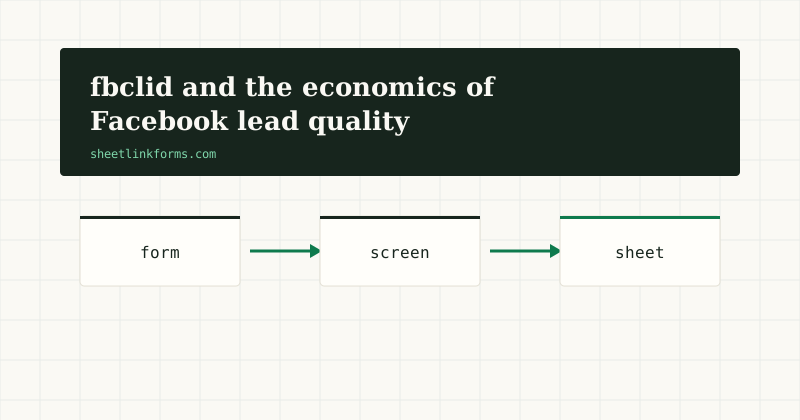
Meta sees the click, not the customer
Meta's ad system is exceptionally good at one thing: finding more people like the people who did the thing you measured. The catch is in the last clause. If the measured thing is a form submission, the system optimizes for submitters - and the population of people who will submit a form is meaningfully different from the population who will become customers.
Every lead-gen advertiser on Meta eventually meets this gap. Cost per lead falls, the sales team groans, and the two facts are causally related: the algorithm found a cheaper pocket of submitters, and that pocket is cheaper because it is worth less. Closing the gap requires telling Meta which leads were actually good - and that requires a thread connecting each lead back to the click that produced it. That thread is the fbclid.
What the fbclid actually is
The fbclid - Facebook Click Identifier - is a parameter Meta appends to outbound link URLs when someone clicks through from its apps. Like Google's gclid, it is unique per click: an opaque token that Meta can resolve back to the ad, the auction, and the (pseudonymous) account behind the click.
Unlike your UTM tags, you do not choose it and cannot read it. Its entire value is as a matching key: if you hold the fbclid a lead arrived with, you hold something Meta can recognize with high confidence later. Which is exactly what quality feedback needs - a way to say "this specific click, the one from Tuesday, turned out to be a qualified lead."
From fbclid to _fbc: how Conversions API matching works
When you send Meta an event through the Conversions API, Meta tries to match it to a real click and account using whatever identifiers the event carries: hashed email, hashed phone, and the click-derived parameter fbc, whose documented format wraps the fbclid with a timestamp (Meta's fbp and fbc reference).
The practical takeaway: the more identifiers you kept at capture time, the better the match. A lead row holding email, phone, and fbclid gives Meta three chances to recognize the click. A row holding only an email gives it one. Match quality is not an abstraction - unmatched events are feedback the algorithm never hears.
Why optimizing for volume degrades quality
It is worth being precise about why quality decays under volume optimization, because it is not a bug. The auction rewards predicted probability of the optimized event. People differ enormously in their baseline propensity to fill out forms - sweepstakes habitues, compulsive downloaders, bored scrollers all convert cheaply. An optimizer pointed at submissions will find them, because they are genuinely the cheapest submitters available.
No targeting tweak fixes this durably, because the problem is the objective function, not the audience. The only durable fix is changing what counts as success. That is what quality feedback does: it moves the optimization target from "submitted a form" to "submitted a form and later turned out to be worth calling," and lets the machine re-solve for the new target.
The feedback loop Meta actually supports
Meta's tooling for this has consolidated around the Conversions API: you send later-stage events - lead qualified, opportunity created, deal won - as they happen, carrying the identifiers you captured at submit time. For lead ads specifically, Meta offers conversion-leads optimization, where CRM stage updates train delivery toward users likely to reach deeper stages, as its developer documentation describes.
The pattern is the same for landing-page forms: capture identifiers at submit, record dispositions as your team works the leads, send the disposition events back with those identifiers attached. Meta treats the deeper events as the thing to optimize, and traffic composition shifts - typically toward fewer, costlier, better leads. Whether that trade is favorable depends on your economics, which is precisely why you want the ledger that makes it checkable.
The spreadsheet as the quality ledger
All of this hinges on an unglamorous artifact: a table where each lead's identifiers sit next to a human judgment about its quality. That is a spreadsheet with columns - submitted_at, email, phone, fbclid, utm_campaign, status, disposition_at. Sales flips status to qualified or junk; the row now contains everything a Conversions API event needs.
We have argued elsewhere that a sheet is a legitimate lead database for small teams, and the quality-feedback use case is where it shines: the disposition is a cell edit, the export is a filter, and everyone can see the state of the pipeline without another login. The same ledger works in Excel Online if your team lives in Microsoft 365.
Capturing fbclid at the form
The fbclid has the same fragile life cycle as every URL parameter: it arrives on the landing page and vanishes at the first navigation. If the visitor reads two pages before submitting - and Meta traffic browses more than search traffic does - naive capture gets nothing.
So the requirements are familiar from our guide to capturing ad click IDs: read parameters at first touch, persist them, attach them at submit. The SheetLink Forms embed does this automatically - fbclid along with gclid, wbraid, gbraid, msclkid, and the UTM set, persisted in localStorage across the journey, landed in named columns. The mechanics of the cross-page problem are in multi-page form attribution.
Honest caveats: matching is probabilistic and privacy-shaped
Three limits worth stating plainly. First, matching is probabilistic - Apple's App Tracking Transparency and browser privacy features mean some clicks cannot be resolved, and Meta models around the gaps. Your uploaded event may inform delivery without appearing crisply in attribution reports. Second, small volumes train slowly: a handful of qualified events a week gives the optimizer little to learn from, so expect gradual shifts, not overnight ones.
Third, identifiers carry privacy obligations. Emails and phone numbers are personal data everywhere; click IDs are treated as personal data in some jurisdictions once tied to a person. Disclose your capture in your privacy policy, hash what Meta expects hashed, and get advice on consent requirements for your market. None of this negates the loop; it bounds what you should expect and how you should run it.
What changes when quality flows back
Teams that close this loop describe the same arc. First, reported cost per lead rises - the algorithm stops harvesting the cheap pocket. Second, qualification rate rises faster, so cost per qualified lead falls. Third, and least expected, creative and audience learnings improve: when the optimization event is quality-weighted, the ads that win auctions are the ones attracting buyers, not clickers, and your A/B results start meaning something.
The precondition for all of it is unglamorous: every lead row must carry its identifiers from the moment it lands. Retrofit is impossible - you cannot recover the fbclid of last month's leads. Which makes the capture layer the highest-leverage, lowest-effort piece of the whole system: one script tag, running before you need it.
Where SheetLink Forms fits
SheetLink Forms handles the capture-and-ledger half of the loop: the embed script catches fbclid and its siblings from the URL, survives multi-page journeys, and delivers every submission as a row in your sheet with identifiers in named columns - directly via the Google Sheets API or Microsoft Graph, no middleman, with retries and a delivery log. Suspicious submissions are quarantined for review rather than deleted, which matters when every row is a paid click.
The feedback half - sending disposition events to the Conversions API - runs from the same sheet, via Meta's tools or a small script reading your qualified rows. See how it works for the delivery path, try the live demo, or start free - the free tier needs no card and no invite.
FAQ
What is the difference between fbclid, _fbc, and _fbp?
fbclid is the parameter Meta appends to the URL at click time. _fbc is the cookie the Meta pixel derives from it, wrapping the fbclid with a timestamp. _fbp is a separate browser identifier the pixel sets regardless of any click. For matching leads to clicks, the fbclid (or the fbc value built from it) is the key you want in your ledger.
Does the fbclid expire?
The parameter itself is just a string and does not expire in your spreadsheet, but its usefulness for matching decays: Meta's attribution windows are finite, so events sent long after the click may no longer connect to it. Capture at submit and send dispositions promptly.
Do we still need the Meta pixel if we capture fbclid ourselves?
They complement each other. The pixel reports browser-side events in real time; your captured fbclid powers server-side events about things the browser never sees, like a lead qualifying two days later. Meta explicitly supports running both, deduplicated by event ID.
Meta lead ads keep the form on-platform - does any of this apply?
Yes, with a twist: on-platform lead ads give you lead IDs instead of fbclids, and conversion-leads optimization consumes your CRM stage updates. The ledger discipline is identical - identifiers plus dispositions in columns. Landing-page forms are where fbclid capture specifically earns its keep.
How many qualified events does Meta need to optimize on?
More is better, and very low volumes learn slowly. Meta's guidance on conversion volume changes over time, so check current documentation - but as a rule of thumb, if you qualify only a few leads a week, expect gradual improvement rather than a step change.
Is capturing fbclid compliant with privacy law?
Capturing it first-party into your own records is common practice, but a click ID linked to a person can qualify as personal data in some jurisdictions. Disclose the capture in your privacy policy, honor consent requirements in your market, and hash emails and phones before sending events to Meta.
Can this whole loop run from Excel instead of Google Sheets?
Yes. SheetLink Forms writes rows into an Excel Online table exactly as it does a Google Sheet, so the quality ledger lives wherever your team already works. The Conversions API side reads whatever export you produce from it.
What happens to a paid lead that looks like spam?
With SheetLink Forms it is quarantined, never silently dropped - you review it with one click and approving delivers it with all its captured attribution intact. On paid traffic a silently deleted false positive costs real money, which is why we treat deletion as the failure mode. See quarantine vs CAPTCHA.
Keep the thread from click to customer
SheetLink Forms captures fbclid and friends automatically and lands every lead in the sheet where your team grades quality - free to start.
Start freeSee the live demoUTM conventions that survive real campaignsThe anatomy of a landing page form that closes the loop