
Product · 2026-08-18 · 8 min read · By Arden Talbot, founder of SheetLink
We built our waitlist on our own product
The waitlist form that gated our beta was a SheetLink form, posting to a SheetLink endpoint, landing in a Google Sheet. Here is why that mattered, and what it caught.
The disclosure, up front
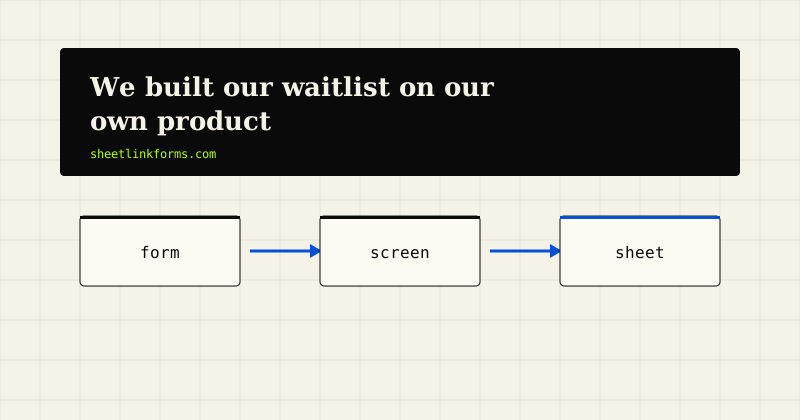
The waitlist form that ran on our homepage during the invite-only beta was not a mockup wired to some third-party service. It was a hosted SheetLink form. It posted to one of our own /f/ endpoints, it was bound by our own sl.js embed, and every signup landed as a row in a Google Sheet that we opened the same way any customer would. The beta is over and signup is open now, but the story of that form is worth telling.
This was not a marketing flourish. It was the most honest test we know how to run. If you want to see the same machinery in public rather than taking our word for it, the live demo is the same pipeline pointed at a sheet anyone can view.
What the form actually is
Technically, the waitlist was unremarkable, which is the point. It was a plain HTML form whose action pointed at a permanent endpoint of the shape https://sheetlinkforms.com/f/{token}. The page included one script tag:
<script src="https://sheetlinkforms.com/sl.js" data-token="..."></script>
That embed did what it does on every customer site: it upgraded the submit to AJAX with inline success text, injected the honeypot field automatically, added a timing signal, and captured attribution parameters from the URL. The full behavior is documented in the developer docs - we did not build ourselves a special version.
Where the rows land
Signups appended to a Google Sheet through the same asynchronous delivery worker every form uses, direct to the Sheets API with no middleman. The interesting part was the columns to the right of the email address.
Because sl.js captures utm_source, utm_medium, utm_campaign, plus click identifiers like gclid and fbclid, and persists them in localStorage across pages, each waitlist row told us where that person came from - even when they read three pages before signing up. Our waitlist sheet doubled as our attribution report. The mechanics are covered in our guide to capturing gclid in forms and the UTM parameters glossary entry.
Why dogfooding is an argument, not a slogan
There is a category of software problem that only surfaces under real, sustained, self-interested use. A test suite verifies that the code does what the author expected. Dogfooding verifies that what the author expected is actually what a user needs. Those are different claims, and the second one is harder.
When a company routes its own leads through its own product, its incentives align with yours in a very direct way: if delivery breaks, the vendor loses signups before you lose anything. If the spam heuristics are miscalibrated, the vendor's own queue fills with noise before yours does. If the success message is confusing, the vendor's own conversion suffers first.
We think that alignment is worth more than a status page badge. It is also why we tend to trust products that visibly run on themselves - a database company that stores its billing in its own database, an email service that sends its invoices through its own API. Self-use is not proof of quality, but its absence is a quiet tell: if the people who built it will not route their own leads through it, why would you?
What being our own first user taught us: the success message
The first thing self-use sharpened was small and human: what the form says after you submit. When you watch your own signup flow, a spinner that resolves into vague text stops being acceptable. The inline success text that sl.js renders after an AJAX submit got rewritten because we kept reading it ourselves and wincing.
That is a category of feedback no bug tracker produces. Nothing was broken. Nothing failed a test. It was just worse than it should have been, and only repetition - submitting your own form for the fortieth time, on a phone, in a hurry - made that visible.
The same lens applied to the form itself: field order, label wording, what the button says while the request is in flight. Small things, individually beneath the threshold of a ticket, collectively the difference between a form that feels solid and one that feels rented.
What it taught us: attribution has to survive a wander
Watching our own rows made one design decision feel essential rather than nice-to-have: attribution persistence. People do not land on a homepage and convert in one motion. They arrive from a link with UTM parameters, read how it works, maybe skim a comparison page, and sign up two pages later - by which time the URL parameters are long gone.
Because the embed persists captured parameters in localStorage across pages, the eventual signup still carries the original source. Seeing that play out in our own sheet, row after row, is what convinced us this belongs in the default embed and not behind a setting.
What it taught us: we review our own quarantine queue
Public waitlist forms attract junk. Ours was protected the same way every SheetLink form is: the auto-injected honeypot, rate limits, content heuristics, and the timing signal. When a submission looks suspicious, it is quarantined for review rather than silently dropped.
That meant we experienced our own tradeoff. Someone here actually opened the quarantine queue for the waitlist form and approved or discarded what the heuristics held. Living with that small recurring chore is exactly what kept us honest about the cost of the never-silently-drop position - a position we argue for at length elsewhere on this blog.
The limits of dogfooding, stated plainly
We should be honest about what self-use does not prove. Our waitlist was one form, in one language, with a handful of fields, run by people who know exactly how the product works. It did not exercise Excel destinations, Webflow webhooks, or the shapes of forms a busy agency ships across twenty client sites.
Dogfooding is a floor, not a ceiling. It guarantees the vendor feels the sharpest edges first. It does not guarantee your edge cases are covered, which is why the docs describe exact behavior - request formats, redirects, the 256KB cap - rather than asking you to extrapolate from our happy path.
The public version: the demo
Because our waitlist sheet contained real email addresses, we could not show it to you. So we built the next best thing: a public demo where the form is real, the endpoint is real, and the destination sheet is publicly viewable. Submit it and watch your row appear.
It is the same pipeline the waitlist ran on - the endpoint, the embed, the delivery worker, the spam checks - with nothing staged. If you have ever wondered whether a vendor's product screenshots reflect the shipped product, this is our answer to that suspicion: not a screenshot, but a live sheet you can refresh yourself, filling with rows from strangers who had the same question you do.
An open door, running on itself
SheetLink Forms is now out of beta, and the waitlist is retired: signup is open, free, with no card and no invite. The free tier covers 100 submissions a month, 3 forms, one connected destination, and 30 days of submission history - start free and your first form can be feeding a sheet this afternoon.
Waitlists in general are a natural fit for this pattern; we wrote up the broader case in our waitlist form use case.
FAQ
Was the beta waitlist really a normal SheetLink form?
Yes. It posted to a standard /f/{token} endpoint, used the public sl.js embed, and appended rows to a Google Sheet through the same delivery worker as every customer form. There was no internal-only code path.
What attribution data does a waitlist row carry?
Whatever sl.js captured from the visitor's URL: utm_source, utm_medium, utm_campaign, utm_term, utm_content, plus click IDs (gclid, wbraid, gbraid, fbclid, msclkid). Parameters persist in localStorage, so they survive multi-page visits.
Can I see this working without signing up?
Yes - the live demo is a real form posting to a real endpoint whose destination sheet is publicly viewable. Submit it and watch the row appear.
Does dogfooding mean the product is bug-free?
No, and we would distrust any vendor who claimed that. It means we hit the sharpest problems first and feel our own tradeoffs, like reviewing our own quarantine queue. It is a floor for quality, not a proof of perfection.
How did the waitlist form handle spam?
The same way every form does: auto-injected honeypot, per-form and per-IP rate limits, content heuristics, and the timing signal from sl.js. Suspicious entries are quarantined for one-click review, never silently dropped. See the spam protection guide.
Did waitlist signups get a confirmation email?
No. SheetLink Forms does not currently send notification or confirmation emails - submissions become rows, and we watched the sheet. We say more about that limitation, plainly, in our post on email notifications versus spreadsheet rows.
Why should self-use make me trust a vendor more?
Because it aligns incentives. If delivery breaks, the vendor's own leads vanish before yours do. A company that routes its most valuable form through its own pipeline has skin in the game that a status page cannot fake.
Is SheetLink Forms free now that the beta is over?
Yes - the free tier has open signup: no card, no invite, 100 submissions a month, 3 forms, one connected destination, and 30 days of history. Pro is $19/month or $190/year with unlimited submissions and forms and no per-submission fees ever. See the pricing page.
Start free - on the product itself
Open signup, no card, no invite - 100 free submissions a month on the same pipeline the demo runs.
Start freeSee the live demoJamstack forms: a short historyForm backend pricing models, compared