
Product · 2026-08-20 · 8 min read · By Arden Talbot, founder of SheetLink
Email notifications vs spreadsheet rows
Notifications interrupt; rows accumulate. Both are legitimate. An honest essay on where each belongs - including the notification email SheetLink does not send.
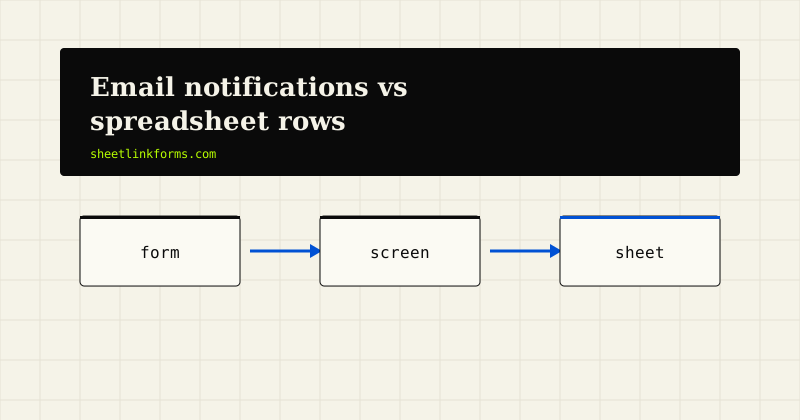
Two mental models for a form submission
Every form product answers one question with its architecture: when someone submits, what is the primary artifact? For most of the category the answer is an email - a notification lands in an inbox, and the inbox becomes the system of record by default. For SheetLink the answer is a row - the submission lands in a spreadsheet, and the sheet is the system of record by design.
These are not interchangeable with different aesthetics. An inbox and a ledger are different data structures with different strengths, and this essay tries to be fair to both - including plain honesty about where our own model currently falls short.
What notifications do well: interruption
An email notification is an interrupt. It reaches you where you already are, on the device in your pocket, within seconds. For a solo consultant whose entire pipeline is inbound inquiries, that latency is the business: a quote request answered in five minutes converts differently than one answered tomorrow.
Notifications also require zero new habit. Everyone already checks email; a form that emails you slots into an existing loop rather than asking you to build one. That is a real and underrated virtue, and any honest comparison starts by granting it.
What notifications do badly: accumulation
The inbox is a terrible ledger. Submissions arrive interleaved with everything else you receive. There is no schema - each notification is a blob of formatted text, so you cannot sort by field, filter by campaign, or compute anything without copying values out by hand. History fragments across threads, folders, and deletions. Two people watching the same address will double-reply or both assume the other has it.
Ask an inbox-based operation a simple question - how many quote requests came from the spring campaign, and what did they ask for? - and watch someone spend an afternoon forwarding emails into a spreadsheet. The spreadsheet was always the destination. Email was just a slow route to it.
What rows do well: being a ledger
A spreadsheet is built for accumulation. Every submission is a row under a header; every field is a column. Sorting, filtering, pivoting, deduplicating, charting - the entire analytical toolkit of the spreadsheet applies to your leads the moment they land. Add a Status column and the sheet becomes a lightweight CRM, a pattern we walk through in using Google Sheets as a form database.
Rows also carry structure that notifications discard. A SheetLink row can include attribution columns - UTM parameters and ad click IDs captured by the embed - so the ledger records not just who wrote, but which campaign sent them. Try extracting that from a month of notification emails.
What rows do badly: nobody is paged
The ledger's weakness is the mirror of its strength: a row appends silently. Nothing buzzes. If your workflow depends on responding within minutes and you do not open the sheet, the lead sits there - perfectly recorded, perfectly ignored.
This failure mode is real and it selects its victims precisely: solo founders and small operators who live in email and have no habit of opening a spreadsheet on a schedule. A row-based system asks you to either build that habit or wire up an alert, and for someone whose whole working memory is their inbox, that is a genuine ask - not a rounding error. Pretending otherwise would be selling, not writing.
Where each model is right
The decision reduces mostly to volume and response time. Low volume plus urgent response - a plumber's quote form, a one-person consultancy - favors interruption; the inbox's weaknesses barely bite at three submissions a week. High volume plus analysis - ad landing pages, event registrations, waitlists, feedback surveys - favors the ledger; nobody wants four hundred emails they will only tally later.
Most operations sit in the middle and honestly need both: an interrupt to trigger the first response, a ledger to hold the truth. The interesting question is which artifact is primary, because that is the one that stays correct when the two drift apart - and drift they will, the first time someone archives a notification without updating anything.
Our limitation, stated plainly
Here is the honest part. SheetLink Forms currently sends no notification emails. None. When a form is submitted, the row is delivered to your Google Sheet or Excel table, the delivery log records it, and nothing arrives in your inbox.
If you are a solo owner who lives in email and needs to know about every inquiry within minutes, this is a real limitation of the product today - not a philosophical stance we expect applause for. We built the ledger first because we believe it is the right system of record, but the interrupt layer matters too, and today ours is missing.
What to pair it with today
The gap has workable bridges, because the row lands in tools with their own alerting. Google Sheets has built-in notification rules (Tools -> Notification settings) that can email you when a spreadsheet changes - Google's documentation covers the setup, though the built-in emails are batched and terse. For more control, a short Apps Script onChange trigger can send a formatted email per new row. Excel users can do similar work with Power Automate watching the table.
None of this is as clean as a native notification. It is the honest current answer, and it works because the ledger - the part we did build - is a real, live spreadsheet rather than a proprietary inbox.
Why we started with the ledger anyway
If both layers matter, why ship the ledger first? Because the two are not symmetric. A notification is transient - once sent, it has done its job, and a missed one is simply gone. A ledger is cumulative - every row makes it more valuable, and an incomplete one is quietly corrupt. You can bolt an interrupt onto a sound ledger, as the previous section shows. You cannot reconstruct a sound ledger from a folder of old notifications; people try, by forwarding and copy-pasting, and the result is always missing rows.
So we spent our early effort on delivery guarantees - the asynchronous worker, retries at 5 minutes, 30 minutes, and 2 hours, the delivery log - described on how it works. The interrupt layer can be added. A trustworthy ledger has to be built in from the start.
Choosing for your own case
If your operation is three urgent inquiries a week and your inbox is your office, an email-first service is a fine choice and we will not pretend otherwise. If your forms produce volume you analyze, attribute, or share with a team, the ledger is the primary artifact and the inbox was always a detour - start with the sheet and add alerting on top.
You can see the row-first model working in public on the live demo: submit the form, watch the row land. Whether that artifact is the right primary for you is a judgment we have tried to give you the materials to make honestly.
FAQ
Does SheetLink Forms send email notifications when a form is submitted?
No, not currently. Submissions are delivered as rows to your Google Sheet or Excel table and recorded in the delivery log, but no email is sent. If instant email alerts are essential to your workflow, pair the sheet with Google's notification rules or an Apps Script trigger.
How can I get alerted about new rows today?
In Google Sheets, use Tools -> Notification settings to get emails on changes, or write a small Apps Script onChange trigger for a formatted email per row. In Excel Online, Power Automate can watch the table and send alerts.
Why is an inbox a bad system of record for leads?
Because it has no schema. Submissions interleave with all other mail, cannot be sorted or filtered by field, and fragment across threads and deletions. Answering even simple aggregate questions means manually rebuilding a spreadsheet - the artifact that should have existed from the start.
When is email-first genuinely the better model?
Low volume plus urgent response: a solo operator handling a few inquiries a week, living in email, needing minutes-level reaction time. At that scale the inbox's structural weaknesses barely matter and its zero-habit-change virtue dominates.
What extra structure does a row carry that a notification does not?
Columns. A SheetLink row maps fields to named columns and can include attribution data - UTM parameters and click IDs like gclid captured by sl.js - so the ledger records which campaign produced each lead. See the gclid capture guide.
What happens if a row fails to deliver to my sheet?
Delivery is asynchronous with automatic retries at 5 minutes, 30 minutes, and 2 hours, and every attempt is visible in the dashboard's delivery log. The submission is not lost while retries proceed.
Can I send submissions to email instead of a spreadsheet?
Not with SheetLink - spreadsheet destinations (Google Sheets and Excel Online) are the product. Separately, an email-in address that turns inbound mail into rows is currently in setup, but that is the reverse direction: email into the sheet, not sheet into email.
Will SheetLink add native notifications later?
We built the ledger first because it must be trustworthy from day one, while an interrupt layer can be added on top. We are not announcing dates; today the honest answer is the pairing described above, and the limitation stands as written.
Start with the ledger
Rows land in your sheet with attribution attached - see it live on the demo.
Start freeSee the live demoForm backend pricing models, comparedA beta diary: shipping SheetLink Forms